AMOGURU Knowledge Base
- Knowledge Base
- Payment management
- Installation and configuration of the widget
- “Email” field
- “Phone” field
- click the “Save” button
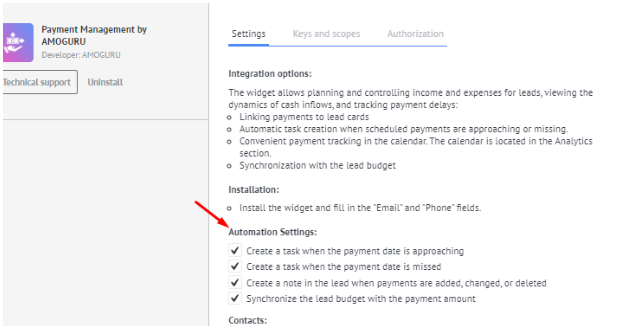
We specify the necessary automation settings:
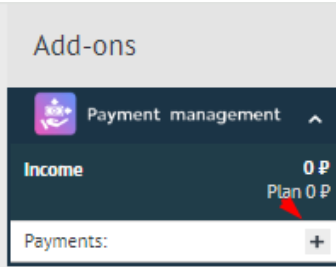
In the "Widgets" section of the lead card, add the payment.
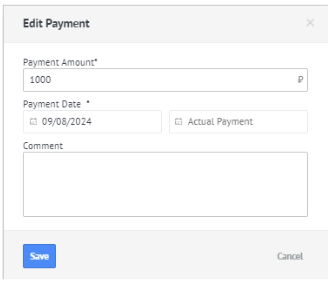
Add the payment amount and the planned payment date, then click "Save".
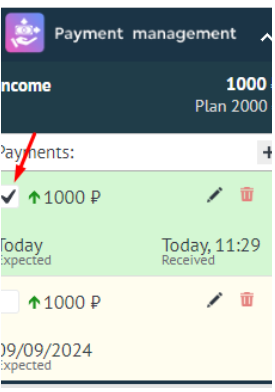
When a payment is received, it is necessary to mark its receipt:
The widget allows you to work with installment plans. To do this, select the installment calculator icon in the widget

Fill in the required data

After filling in the data, select Add Payment

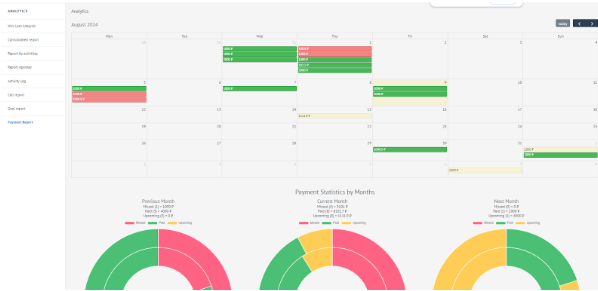
The "Analytics" section displays payment statistics: